
A practical guide to professional A4 catalogue printing
Choosing the right format, paper, binding and finishing can make a significant difference to the quality of a printed catalogue. This A4 Catalogue Printing Guide explains the key specifications businesses should consider before sending artwork to print, from page dimensions and paper GSM to binding, finishing and artwork preparation.
A4 catalogue printing remains one of the most versatile choices for businesses that need to present products, services, technical information or brand details in a structured printed format. The familiar A4 size provides enough space for photography, product descriptions, specifications and pricing while remaining practical for distribution and storage.
However, choosing an A4 format is only the starting point. The final result depends on several interconnected decisions, including paper weight, page count, binding method, colour reproduction, finishing and artwork preparation. Therefore, understanding these specifications before production can help you achieve a more professional catalogue while avoiding unnecessary printing problems.
Whether you are preparing a retail product catalogue, wholesale catalogue, corporate publication, fashion catalogue or technical product guide, this guide explains how to approach A4 catalogue printing UK projects from planning through to finished production.
What You Will Learn
- Standard A4 catalogue dimensions and orientations
- How to choose suitable paper and GSM
- The differences between saddle stitching, perfect binding and wire binding
- How page count affects catalogue production
- Which finishes work best for different catalogue styles
- Artwork, bleed, margins and print preparation requirements
- Ways to create a professional catalogue without unnecessary production costs

A4 product catalogue designed for clear product presentation
Table of Contents
What Is an A4 Catalogue?
An A4 catalogue is a printed publication produced using the standard A4 page format. It is commonly used to display multiple products or services across a sequence of professionally designed pages. Because the format offers a generous working area, it can accommodate product photography, descriptions, specifications, tables, pricing and branding without making individual pages feel overcrowded.
In particular, A4 catalogues are popular among manufacturers, wholesalers, retailers, distributors and service businesses. They can also work particularly well for companies that need to communicate detailed information to buyers, sales representatives or trade customers.
Product Catalogues
Present product ranges, specifications, colours, sizes, prices and product photography in an organised format.
Wholesale Catalogues
Useful for buyers who need to compare larger product ranges, specifications and ordering information.
Corporate Catalogues
Combine company information, services, case studies and visual branding in a professional printed document.
Furthermore, an A4 catalogue can be designed as either a short promotional publication or a substantial multi-page reference document. This flexibility makes it suitable for both small marketing campaigns and extensive product ranges.
What Are the A4 Catalogue Dimensions?
The standard finished size of an A4 page is 210 × 297 mm. This is the final trimmed size of the page after printing and finishing. For professional production, however, the artwork file normally needs additional bleed around the finished dimensions.
A4 Catalogue Size at a Glance
Finished size: 210 × 297 mm
Orientation: Portrait or landscape
Typical use: Product catalogues, wholesale catalogues, corporate publications and marketing materials
Artwork: Should include the printer’s required bleed and safe margins
Because A4 is a standard international paper size, it is widely supported by commercial printing equipment. Consequently, businesses can usually choose from a broad range of paper stocks, binding methods and finishing options.
The standard dimensions also make A4 catalogues easy to integrate with existing office, presentation and filing systems. For example, a sales team can keep an A4 product catalogue alongside standard business documents without needing specially sized storage.
Portrait A4 Catalogues
Portrait orientation is the most familiar A4 catalogue format. The page is taller than it is wide, creating a natural reading direction that works particularly well for product listings, editorial content and corporate information.
Moreover, portrait A4 layouts provide a useful balance between text and photography. Product images can be positioned alongside descriptions, while headings, specifications and pricing can be organised into clear sections.
When Is Portrait A4 a Good Choice?
- Retail and wholesale product catalogues
- Corporate brochures and company profiles
- Fashion and beauty catalogues
- Product specification guides
- Sales and marketing publications
Landscape A4 Catalogues
Landscape A4 uses the same paper dimensions but rotates the page so that the wider edge becomes the horizontal dimension. This configuration can be particularly effective when large product photographs, wide charts or multiple columns are central to the design.
For instance, furniture companies, interior brands, manufacturers and lifestyle businesses may benefit from landscape layouts because wide images can be displayed more naturally across the page.
Nevertheless, orientation should be selected according to the content rather than simply visual preference. A catalogue containing long descriptions and narrow product specifications may work better in portrait, whereas image-led presentations can benefit from the additional horizontal space of landscape.
Why Choose A4 Catalogue Printing UK?
A4 remains popular because it provides a practical combination of visual impact, information capacity and production flexibility. Businesses can create detailed layouts without moving into an unnecessarily large or expensive format.
Plenty of Design Space
A4 provides enough room for product imagery, descriptions, technical information and structured layouts.
Professional Appearance
The familiar format creates a professional presentation suitable for both consumer and business audiences.
Flexible Production
A4 catalogues can be produced using different papers, page counts, bindings and finishing techniques.
Another advantage is familiarity. Customers already understand the proportions of an A4 publication, so they can browse the catalogue comfortably without adjusting to an unusual format.
In addition, A4 works well for both printed and digital workflows. A professionally designed catalogue can be supplied as a physical publication while the same design can also be adapted into a digital PDF for sales teams, email campaigns or online distribution.
Choosing the Right Paper for A4 Catalogue Printing
Paper selection is one of the most important decisions in catalogue production. The correct stock should reflect the purpose of the catalogue, the type of imagery being used, the expected handling frequency and the desired brand position.
Importantly, heavier paper is not automatically better. A premium catalogue requires a paper specification that is appropriate for its content and binding method. Therefore, the best choice is the combination that provides the right balance of appearance, durability, readability and production practicality.
Silk Paper for A4 Catalogues
Silk-coated paper is a popular choice for professional catalogue printing because it provides strong colour reproduction without the high shine associated with gloss paper. As a result, it works particularly well for product photography, corporate publications and retail catalogues.
It also offers a comfortable reading surface, making it suitable when a catalogue contains both photographs and substantial amounts of written information.
Gloss Paper for A4 Catalogues
Gloss paper has a reflective surface that can make colours appear vibrant and photographs look sharp. Consequently, it is often selected for image-heavy publications where visual presentation is the primary concern.
However, strong reflections can sometimes make smaller amounts of text harder to read under bright lighting. For that reason, gloss is usually better suited to highly visual catalogues than text-heavy reference publications.
Matt Paper for A4 Catalogues
Matt paper offers a softer, non-reflective appearance and can give an A4 catalogue a more understated premium feel. It is particularly suitable for luxury brands, corporate publications and sophisticated editorial-style layouts.
Furthermore, the reduced glare can make longer passages of text more comfortable to read. Therefore, matt paper can be an effective choice when the catalogue needs to balance photography with detailed written content.
Paper Selection Tip
Do not select paper purely by GSM. Surface finish, opacity, print quality, folding behaviour and binding requirements all influence how the finished A4 catalogue will look and perform.
For a deeper explanation of paper weights and GSM selection, see the Packaging Card GSM Guide within the wider printing and packaging knowledge centre. The principles of GSM selection can help when comparing different stocks, although catalogue pages and packaging boards have different production requirements.
What GSM Is Best for A4 Catalogue Printing?
GSM, or grams per square metre, describes the weight of paper. It is one of the specifications printers and designers consider when selecting catalogue stock. However, the appropriate GSM depends on whether the material is being used for the inside pages or the cover.
Typical A4 Catalogue Paper Choices
| Paper Range | Typical Use | Main Benefit |
|---|---|---|
| 115–130 GSM | Lightweight catalogue pages | Economical and easy to handle |
| 150–170 GSM | Premium internal pages | Good balance of quality and flexibility |
| 200–250 GSM | Heavier covers and premium pages | More substantial feel |
| 300–350 GSM | Robust premium covers | Strong, substantial presentation |
These ranges are useful starting points rather than fixed rules. The final specification should also consider page count, binding, folding requirements and the printer’s production capabilities.
For example, a short promotional catalogue may work well with a lighter internal stock, while a premium product publication may benefit from heavier covers and more substantial internal pages.
A4 Catalogue Binding Options
Binding determines how the individual pages are assembled and can have a major effect on the appearance, usability and cost of an A4 catalogue. The correct method depends primarily on page count, intended use and the desired level of presentation.
Saddle Stitching
Saddle stitching involves folding printed sheets and securing them through the centre with staples. It is one of the most economical solutions for shorter A4 catalogues and promotional publications.
Because the production process is relatively straightforward, saddle stitching is particularly useful when businesses need a professional catalogue without the additional construction associated with thicker bindings.
Perfect Binding
Perfect binding uses adhesive to secure individual pages to a spine, creating a clean, book-like appearance. It is generally better suited to catalogues with a larger page count where saddle stitching would no longer provide the desired structure.
Moreover, the flat spine creates space for branding or publication information, which can be useful when catalogues are displayed on shelves or stored as reference materials.
Wire Binding
Wire binding uses a series of punched holes and a wire spine. One of its main advantages is that the catalogue can open flat, making it useful for technical documents, reference publications and catalogues that need to remain open while being consulted.
Nevertheless, it normally involves a higher production cost than simple saddle stitching. Therefore, it is best selected when usability provides a clear benefit.
Choosing the Right Binding
Short catalogue → Saddle stitching
Thicker premium catalogue → Perfect binding
Reference or technical catalogue → Wire binding
Binding should therefore be considered during the design stage rather than after the artwork has been completed. Page count, paper thickness and the final spine or fold requirements can all influence the most suitable production method.

Professionally bound A4 catalogue for detailed product information
A4 Catalogue Printing Finishes for a Premium Look
The right finish can transform an ordinary publication into a catalogue that feels substantial, polished and memorable. However, every finishing technique serves a different purpose. Therefore, businesses should choose finishes according to the catalogue’s audience, handling requirements and brand positioning.
For example, a wholesale product catalogue may only need a durable matt or silk cover, while a luxury fashion or cosmetics catalogue could benefit from foil, embossing or spot UV. In either case, the finish should support the design rather than distract from the products.
Popular A4 Catalogue Finishes
- Matt lamination for a sophisticated, low-glare surface
- Gloss lamination for stronger colour impact and image vibrancy
- Soft-touch lamination for a smooth, tactile premium feel
- Spot UV for highlighting selected logos, images or design elements
- Foil stamping for metallic gold, silver and other premium effects
- Embossing and debossing for tactile raised or recessed details
Matt Lamination for A4 Catalogue Printing
Matt lamination creates a smooth, non-reflective surface that gives an A4 catalogue a refined appearance. It also adds a protective layer to the cover, which helps the publication withstand regular handling.
Consequently, matt lamination works particularly well for corporate catalogues, premium product ranges and publications that contain substantial amounts of text. It also pairs effectively with strong typography and minimalist layouts.
Gloss Lamination for A4 Catalogues
Gloss lamination produces a reflective surface that can make colours and photographs appear more vibrant. Therefore, it suits image-led catalogues where photography plays a central role.
However, strong reflections can make certain text areas harder to read under bright lighting. For this reason, designers should consider the balance between visual impact and everyday usability before choosing gloss.
Soft-Touch Lamination for Premium Catalogues
Soft-touch lamination creates a distinctive velvety surface that immediately adds a premium tactile quality. It works particularly well for luxury brands that want customers to notice the physical feel of the catalogue.
Moreover, soft-touch finishes can work alongside other premium techniques. For instance, a catalogue cover can combine soft-touch lamination with a foil logo to create a stronger visual and tactile identity.
Spot UV on A4 Catalogues
Spot UV applies a high-gloss coating only to selected areas rather than the entire surface. Designers can therefore use it to draw attention to a logo, product name, photograph or specific graphic element.
This selective approach creates contrast between the coated and uncoated areas. As a result, even a relatively simple catalogue cover can gain additional depth without covering the entire design with decorative effects.
Foil and Embossing for Luxury A4 Catalogues
Foil stamping introduces a metallic or specialist effect to selected artwork. Gold and silver remain popular choices, although modern production can support a wider range of foil effects.
Embossing creates a raised surface, while debossing presses the selected design into the paper. Together, these techniques can give a catalogue cover a more distinctive tactile character.
If your catalogue project requires several premium finishing techniques, our luxury printing finishes guide provides additional information about foil, embossing, debossing, spot UV and other finishing techniques.
A4 Catalogue Design Guidelines
Good catalogue design does more than make pages attractive. It helps customers find information quickly, compare products and understand the brand. Therefore, designers should treat navigation and readability as seriously as visual presentation.
Start by establishing a clear hierarchy. Use consistent heading sizes, product names, descriptions, specifications and pricing positions throughout the publication. This consistency allows readers to scan multiple pages without having to learn a new layout each time.
Create Clear Hierarchy
Give headings, product names, descriptions and specifications consistent visual treatment.
Prioritise Readability
Use sufficient white space and appropriate type sizes so readers can scan product information comfortably.
Keep Product Pages Consistent
Repeat the same information structure across related products to make comparisons easier.
Use White Space Effectively
White space gives individual design elements room to breathe. Without enough space, even a professionally printed catalogue can feel crowded and difficult to navigate.
Therefore, do not attempt to fill every available area with text, product photographs or promotional messages. Instead, use spacing to separate product groups and establish a visual rhythm across each spread.
Build a Consistent Product Layout
A product catalogue should make comparison straightforward. For example, if every product entry shows the product name, image, short description, specification and price in the same order, readers can quickly locate the information they need.
This approach becomes especially valuable for wholesale and technical catalogues, where buyers may review dozens or even hundreds of products in one publication.
A4 Catalogue Bleed, Margins and Artwork Requirements
Correct artwork preparation plays a major role in achieving accurate catalogue production. A design may look perfect on screen, yet trimming can produce unwanted white edges if the artwork does not include sufficient bleed.
What Is Bleed in A4 Catalogue Printing?
Bleed extends the background, photographs or other artwork beyond the final trim edge. The printer then trims the sheet down to the finished A4 size.
Most commercial printers commonly request around 3 mm bleed, although requirements can vary between production systems. Always follow the printer’s supplied artwork specification before exporting the final file.
Important Artwork Rule
Extend backgrounds and images beyond the trim line, but keep important text, logos and product information safely inside the trim area. This reduces the risk of accidental trimming through critical content.
Safe Margins for A4 Catalogues
A safe margin creates a buffer between important content and the final trim edge. Keep headlines, logos, prices and essential product information comfortably inside this area.
Furthermore, binding can affect the inner margin. A perfect-bound catalogue may need more consideration around the spine than a simple saddle-stitched publication. Therefore, designers should establish the binding method before finalising page layouts.
Colour and Image Resolution
High-quality product photography can significantly improve an A4 catalogue. However, poor-resolution images can undermine an otherwise professional design.
Use high-resolution images suitable for the final print size and prepare colour according to the printer’s requirements. In most commercial workflows, designers work with CMYK print files or follow the printer’s specified colour-management process.
You should also check small text, thin lines, transparency effects and overprinting before submitting artwork. These details may look acceptable on a monitor but can produce unexpected results during production.
How Many Pages Can an A4 Catalogue Have?
A4 catalogues can range from short publications containing only a few pages to substantial product references with many sections. The ideal page count depends on the amount of information, product range and chosen binding method.
A short catalogue may introduce a new collection, highlight selected products or support an event. By contrast, a larger catalogue can organise hundreds of products into categories and include detailed specifications.
Think About Page Count Early
Page count affects paper consumption, binding, production time and overall catalogue printing cost. Consequently, define the approximate number of pages before finalising the design.
If you are comparing the financial implications of different page counts, quantities and binding methods, see our detailed catalogue printing cost UK guide. It explains the main factors that influence catalogue pricing and helps you understand where production costs can change.
A4 Catalogue Printing for Different Industries
A4 catalogue printing works across a wide range of sectors because the format can accommodate both visual merchandising and detailed technical information.
Retail
Showcase product ranges, seasonal collections and promotional offers.
Wholesale
Present extensive product ranges with specifications and ordering information.
Manufacturing
Communicate technical products, components, specifications and applications.
Fashion & Beauty
Use photography-led layouts to create strong visual brand presentation.
Retail A4 Catalogues
Retailers can use A4 catalogues to introduce collections, showcase individual products and communicate seasonal promotions. High-quality photography and clear product information help customers understand the range without relying solely on an online product page.
Businesses that need additional printed marketing materials can also combine catalogues with professional brochure printing or custom flyer printing for wider campaign distribution.
Wholesale A4 Catalogues
Wholesale buyers often need more detailed information than consumers. Therefore, an A4 wholesale catalogue can include product codes, dimensions, materials, colours, pack quantities and technical specifications in a structured layout.
A consistent page system also allows sales teams to update individual sections more easily when product ranges change.
Corporate A4 Catalogues
Companies can use A4 catalogues to present services, product portfolios, case studies and company information in a single professional publication.
A catalogue can also form part of a wider printed identity system. For example, businesses may pair their publication with professionally printed business cards, custom letterhead printing and branded presentation folders to create a consistent corporate presentation.
A4 Catalogue Printing as Part of a Wider Commercial Print Strategy
A catalogue rarely works in isolation. Businesses often distribute catalogues alongside other printed materials throughout the customer journey. Consequently, a coordinated commercial printing strategy can create a more consistent brand experience.
For example, a company attending a trade exhibition could use an A4 catalogue for its full product range, a professionally printed booklet for a focused campaign, and supporting flyers or business cards for quick follow-up.
Similarly, sales teams may use printed brochures for shorter presentations while reserving the full catalogue for customers who need detailed product information.
Build a Consistent Printed Marketing System
A4 catalogues can sit at the centre of a broader commercial print strategy. Combine them with brochures, booklets, folders, business cards and other branded materials according to how customers interact with your business.
For a broader overview of commercial print applications, explore our guide to commercial printing services. It covers the wider range of printed materials businesses can use alongside catalogues.
Related Printed Materials for A4 Catalogue Campaigns
Depending on the campaign, you may need more than one printed format. For example, a catalogue can provide comprehensive product information while smaller printed pieces encourage customers to take immediate action.
- Custom bookmark printing for books, educational campaigns and promotional use
- Leaflet printing for concise promotional information
- Custom printed envelopes for direct-mail catalogue campaigns
- Personalised notepads for corporate and sales teams
- Table tent cards for retail, hospitality and promotional environments
This approach lets businesses match the printed format to the communication objective instead of using one publication for every purpose.
Need A4 Catalogue Printing?
If you already have your artwork and specifications, you can review our custom catalogue printing service for production options. If you are still deciding on paper, binding, finishing or format, finalise those specifications before requesting a quotation.
For businesses planning a wider printed campaign, our custom office essentials category also provides complementary commercial printing options.
Choosing the Right A4 Catalogue Printing Method
The printing method can influence colour consistency, production speed, minimum quantities and overall cost. Therefore, businesses should select the process according to the catalogue’s quantity, design requirements and deadline rather than choosing a method based on price alone.
Modern commercial printers commonly use digital or lithographic offset printing for catalogue production. Each method has strengths, so the best option depends on the specific project.
Digital A4 Catalogue Printing
Digital printing transfers artwork directly to the printing system without the traditional plate-making process used by conventional offset production. Consequently, it works particularly well for short and medium production runs.
Digital printing also gives businesses greater flexibility when they need a smaller quantity, a fast turnaround or multiple versions of the same catalogue. For example, a company could produce separate catalogue versions for different sales regions without committing to a very large initial quantity.
Digital Printing Works Well When You Need
- Short or medium print runs
- Fast production
- Multiple catalogue versions
- Variable content or personalised copies
- Flexible reprints without holding large quantities in stock
Offset A4 Catalogue Printing
Offset printing suits larger catalogue production runs where businesses need consistent output across substantial quantities. The process can also provide excellent colour reproduction and efficient unit costs when production volumes increase.
However, offset production usually involves more preparation than digital printing. Therefore, it becomes more attractive as the required quantity grows.
If you want to understand how different commercial printing processes work, explore our printing methods guide for a broader explanation of digital, offset and other production techniques.
A4 Catalogue Page Layout and Content Structure
A successful catalogue should guide the reader naturally from one section to the next. Therefore, organise the content before designing individual pages. A simple content structure can prevent overcrowded spreads and inconsistent product presentation.
Designing the A4 Catalogue Cover
The cover creates the first physical impression of the publication. It should immediately communicate the brand, catalogue subject and overall visual character.
A strong cover normally includes the company logo, catalogue title, a relevant hero image and enough visual space to avoid a cluttered appearance. Depending on the industry, you can also use a premium finish to strengthen the first impression.
However, avoid putting too much information on the front cover. Save detailed product information, promotional messages and technical content for the inside pages.
A4 Catalogue Contents Page
A contents page becomes increasingly useful as the catalogue grows. It allows customers to locate product categories quickly and gives the publication a more structured appearance.
For larger catalogues, organise products into logical categories and use page numbers consistently. You can also use colour coding or section markers to make navigation easier.
A4 Catalogue Product Pages
Product pages should follow a consistent information hierarchy. Start with the product name and image, then present the most important information before adding secondary specifications.
1. Product Name
Make the product identity immediately visible and easy to scan.
2. Product Image
Use clear, appropriately sized photography that represents the actual product accurately.
3. Key Information
Highlight specifications, dimensions, materials, colours, prices or ordering information.
This consistent approach helps readers compare products quickly. Furthermore, it reduces visual confusion when the catalogue contains a large number of similar products.
Typography for A4 Catalogue Printing
Typography affects both readability and brand perception. A catalogue may contain excellent photography, but poor typography can make the publication difficult to use.
Choose a limited set of complementary typefaces and establish a clear hierarchy for headings, product names, descriptions, specifications and prices. Then apply those rules consistently throughout the publication.
Choosing Readable Font Sizes
Avoid extremely small text simply to fit more products onto a page. Although compact typography may increase the amount of information per spread, it can reduce readability and make the catalogue feel overcrowded.
Instead, prioritise the information customers actually need. Short descriptions, clear specifications and well-spaced headings often create a better experience than large blocks of dense copy.
Product Images for A4 Catalogue Printing
Product photography often occupies a significant portion of an A4 catalogue, particularly in retail, fashion, cosmetics and lifestyle sectors. Consequently, image quality deserves careful attention during the design process.
Use original high-resolution images whenever possible and check every image at its intended print size. A photograph that looks sharp in a small design preview may lose detail when enlarged across a full A4 page.
Also consider image consistency. Similar products should use comparable backgrounds, lighting, cropping and proportions wherever possible. This creates a more professional visual system across the catalogue.
A4 Catalogue Image Checklist
- Use high-resolution source images
- Check image quality at final print size
- Maintain consistent image proportions
- Use accurate product photography
- Keep important visual details away from trim edges
- Follow the printer’s colour and artwork requirements
How to Prepare Print-Ready A4 Catalogue Artwork
Preparing artwork correctly can prevent avoidable production delays. Before sending an A4 catalogue to print, check the document dimensions, bleed, margins, page order, image quality, fonts and colour settings.
Exporting the A4 Catalogue PDF
PDF remains a common format for supplying finished commercial print artwork. However, the exact PDF preset and technical requirements can vary between printers and production systems.
Therefore, always follow the printer’s supplied artwork specification instead of relying on a generic export setting. If your printer provides a PDF template or technical guide, use those instructions during final export.
For additional guidance on preparing professional visual material, our packaging design guide also covers important principles around layout, artwork planning and production-ready design.
Fonts and Linked Assets
Check that your final PDF contains the required fonts or converts them according to the printer’s specification. Missing fonts can change text spacing, line breaks and page layouts.
Also inspect linked images, transparency, clipping paths and other graphic elements before final submission. A careful pre-flight check gives you an opportunity to correct problems before production begins.
A4 Catalogue Printing Quality Control
Quality control should begin before the printing stage. Review the final proof carefully and check both individual pages and complete spreads.
Look for spelling mistakes, incorrect product information, inconsistent prices, missing images, alignment problems and unexpected colour changes. In addition, check page numbering and the order of sections.
Final Proof Checklist
- Check every product name and specification
- Confirm prices and contact details
- Review page order and numbering
- Inspect images at final size
- Check bleed and safe margins
- Confirm the chosen paper and binding
- Review the cover separately
- Approve the final proof before production
Sustainable A4 Catalogue Printing Options
Businesses increasingly consider the environmental impact of their printed marketing materials. Fortunately, catalogue production can incorporate more responsible material and production choices without abandoning professional presentation.
Recycled papers, responsibly sourced stocks and efficient page planning can help reduce unnecessary material consumption. Furthermore, choosing an appropriate print quantity can prevent excessive overproduction and storage.
If sustainability forms part of your wider brand strategy, see our guide to custom sustainable packaging in the UK for broader information about sustainable material choices and responsible packaging considerations.
For businesses that need to understand different paper and material options in greater detail, our packaging materials guide provides additional background on commonly used materials and their characteristics.
Useful A4 Catalogue Printing Resources
A well-planned catalogue benefits from reliable technical information. When preparing artwork, designers should follow the requirements of the selected printing provider and consult established software or industry documentation where appropriate.
For example, Adobe’s guidance on creating print-ready PDFs provides useful background for designers preparing professional print files. You can also consult ISO information on graphic technology and print-related standards when you need deeper technical context.
These resources should support, rather than replace, the printer’s own artwork specification. Production requirements can differ depending on equipment, paper, finishing and workflow.
Remember
Technical standards and software guidance provide useful general principles. However, always use the specific artwork requirements supplied by your chosen printer before submitting the final A4 catalogue file.
How to Request an A4 Catalogue Printing Quote
Once you have established the catalogue specification, provide the printer with enough information to calculate the correct production requirements. A vague request can lead to an inaccurate quotation because paper, page count and binding can change the final price significantly.
At a minimum, specify the finished size, orientation, approximate page count, quantity, paper preference, cover specification, binding method, finishing requirements and delivery location.
Information to Include in Your Quote Request
- Finished size: A4, 210 × 297 mm
- Orientation: Portrait or landscape
- Quantity: Number of finished catalogues required
- Page count: Including the cover where applicable
- Paper: Preferred stock and GSM
- Binding: Saddle stitch, perfect bound or wire bound
- Finishing: Lamination, foil, spot UV or other effects
- Artwork: Print-ready PDF or design requirements
- Delivery: Required delivery location and deadline
If you already have a finished file, you can request production information through our custom catalogue printing service. If you need a broader commercial print package, you can also explore custom office essentials and commercial printing.
Finally, businesses that need a shorter publication rather than a full product catalogue may find professional booklet printing more appropriate. The best format depends on how much information you need to communicate and how customers will use the finished publication.
A4 Catalogue Printing Cost and Budget Planning
Planning the budget early helps you choose the right combination of paper, page count, binding and finishing. Although the unit price matters, the cheapest specification does not always provide the best overall value. Instead, consider how customers will use the catalogue and how long you need it to remain presentable.
Several variables influence catalogue printing costs in the UK. Quantity, page count, paper GSM, colour coverage, binding, finishing and delivery requirements can all change the final quotation.
Therefore, start with the purpose of the catalogue before reducing specifications. A premium product catalogue may justify heavier paper and specialist finishing, while a frequently updated trade catalogue may benefit more from economical production and flexible reprints.
How Quantity Changes A4 Catalogue Printing Cost
Quantity has a direct effect on the unit economics of catalogue production. Larger orders can spread preparation and production costs across more copies, which often reduces the cost per catalogue.
However, ordering more copies only makes financial sense when you can use them. If your product range changes regularly, excessive stock can leave you with catalogues containing outdated prices, products or contact information.
Smaller Quantity
Suitable for testing a new catalogue, launching a product range or supporting a limited campaign.
Medium Quantity
Useful for sales teams, exhibitions, regional distribution and regular customer outreach.
Bulk Quantity
Can provide stronger unit economics when the catalogue has a long useful life and consistent content.
How Paper GSM Affects A4 Catalogue Cost
Paper GSM refers to the weight of paper measured in grams per square metre. A higher GSM generally produces a heavier and more substantial feel, although paper quality depends on more than weight alone.
For example, a lightweight internal page can keep a large catalogue manageable, while a heavier cover can provide additional structure and durability. This approach can create a premium result without using the heaviest stock throughout the entire publication.
If you are comparing different paper weights, our GSM and paper weight guide provides useful background on GSM, thickness and material selection.
Choosing the Right A4 Catalogue Cover Stock
The cover usually needs more durability than the internal pages because customers handle it first and often throughout the catalogue’s lifespan. Therefore, many businesses choose a heavier cover stock while using a lighter stock for the inside pages.
Your choice should also reflect the binding method. For example, a thick cover can work particularly well with saddle stitching, while a perfect-bound catalogue requires careful consideration of the spine, cover construction and page block.
How to Choose the Best A4 Catalogue Binding
The right binding method depends mainly on page count, catalogue thickness, intended use and desired presentation. Selecting the binding before completing the artwork can also prevent layout problems later.
A4 Saddle Stitching
Saddle stitching folds the printed sheets and secures them with staples through the centre. It offers a practical solution for relatively short catalogues and promotional publications.
The method keeps production straightforward and provides a lightweight finished product. Therefore, it works well for seasonal ranges, event publications, introductory product catalogues and short marketing campaigns.
A4 Perfect Binding
Perfect binding creates a flat spine by securing the pages into a glued cover. This method gives thicker A4 catalogues a book-like appearance and can create a stronger premium impression.
It suits comprehensive product catalogues, corporate publications and publications that customers may keep for reference. However, the thicker format requires careful consideration of spine width and inner margins during design.
A4 Wire Binding
Wire binding allows readers to open a catalogue flat, making it useful for technical information, reference material and documents that users consult repeatedly.
Although it can cost more than saddle stitching, its practical usability may justify the additional production expense when customers need to keep the publication open while working.
| Binding | Best For | Main Advantage |
|---|---|---|
| Saddle stitch | Short catalogues | Economical and lightweight |
| Perfect binding | Thicker catalogues | Professional book-like finish |
| Wire binding | Reference catalogues | Opens flat for easy use |
A4 Portrait vs Landscape Catalogue Printing
A4 portrait remains the conventional choice for many catalogues because it provides a familiar reading format and works naturally with standard product-page layouts. However, landscape orientation can offer advantages when product photography, diagrams or wide comparison tables require additional horizontal space.
A4 Portrait Catalogue
Portrait orientation works particularly well when the publication contains text-heavy product descriptions, vertical photography or conventional editorial layouts. It also feels familiar to readers because it resembles many books, brochures and corporate publications.
A4 Landscape Catalogue
Landscape A4 provides a wider canvas for product comparisons, panoramic photography and large visual compositions. Consequently, it can work particularly well for furniture, interiors, architecture, machinery and visual product collections.
Quick Decision
Choose portrait when readability, conventional product listings and text-heavy content matter most. Consider landscape when wide images, comparisons or visual presentation drive the catalogue design.
How Many A4 Catalogues Should You Print?
The ideal quantity depends on your distribution strategy rather than a fixed industry rule. Sky Print and Enterprise can help you choose a practical print run based on how many catalogues you expect to distribute during the publication’s useful period.
For example, a business attending several trade exhibitions may calculate its requirement based on expected visitors, sales representatives and follow-up mailings. A retailer with a seasonal catalogue should also consider how long the product range will remain current.
Avoid ordering a very large quantity simply to reduce the unit price. A lower unit cost does not represent a saving if you eventually discard unused catalogues because the information becomes outdated. Sky Print and Enterprise can help you balance quantity, budget and distribution needs for a more cost-effective catalogue printing order.
Plan Reprints Around Product Changes
Businesses with frequently changing product ranges can benefit from shorter print cycles. This approach allows you to update prices, product specifications, contact details and new product launches more frequently.
In contrast, a catalogue containing evergreen products or stable technical information may justify a larger production run.
A4 Catalogue Proofing Before Production
Always review the final artwork carefully before approving production. A proof gives you an opportunity to identify errors before the printer produces the complete quantity.
Check product names, prices, specifications, page numbers, contact details, images and promotional claims. Also inspect the cover, contents page and any pages that contain complex tables or multiple product variations.
Do Not Approve a Catalogue Proof Too Quickly
Ask someone who did not create the artwork to review the final file. A fresh pair of eyes can often identify spelling errors, missing information or inconsistencies that the original designer has overlooked.
How to Distribute Printed A4 Catalogues
Catalogue distribution should match the audience and purpose of the publication. A carefully printed catalogue can support several stages of the sales process, from initial brand awareness to detailed product evaluation.
A4 Catalogues for Trade Shows and Exhibitions
Trade exhibitions give businesses an opportunity to place a complete product range directly into the hands of potential buyers. An A4 catalogue can provide more information than a small promotional leaflet while remaining easy to carry.
Pairing the catalogue with custom business cards can also make follow-up communication easier after the event.
A4 Catalogues for Direct Mail
Direct-mail campaigns can use catalogues to communicate a broader product range than a single flyer or leaflet. However, packaging and postage costs should form part of the campaign budget from the beginning.
Businesses can also combine catalogue distribution with custom printed envelopes to create a more consistent branded mailing experience.
A4 Catalogues for Sales Teams
Sales representatives can use catalogues as physical reference tools during meetings and product demonstrations. A well-organised catalogue gives the sales team a consistent way to present product information and discuss different options with customers.
If the sales process requires a shorter presentation document, consider pairing the catalogue with professional brochure printing for focused campaigns.
A Practical A4 Catalogue Decision Framework
Before requesting a quotation, define five essentials: purpose, audience, page count, quantity and lifespan. Then choose the paper, binding and finishing that support those requirements. This approach keeps the specification commercially sensible while protecting the quality of the finished publication.
A4 Catalogue Printing Checklist
Before sending your catalogue to print, check the complete specification and artwork. A simple final review can prevent expensive corrections and production delays.
- Confirm the finished A4 size and orientation.
- Check the total page count.
- Choose the appropriate paper GSM and finish.
- Select saddle stitching, perfect binding or wire binding.
- Check bleed, trim and safe margins.
- Review images at their final print size.
- Check colours, fonts and artwork settings.
- Proofread prices, product details and contact information.
- Confirm the required quantity and delivery deadline.
- Approve the final proof before production.
Common A4 Catalogue Printing Mistakes to Avoid
Even a well-designed catalogue can lose its professional appearance when businesses overlook basic production details. Fortunately, most problems are easy to prevent with proper planning.
Trying to Fit Too Much Information
Cramming too many products onto each page can make a catalogue difficult to read. Instead, prioritise the information customers actually need and use white space to create a clearer visual hierarchy.
Using Low-Resolution Images
Low-resolution photography can look acceptable on a computer screen but appear soft or pixelated in print. Always check image quality at the final reproduction size before approving the artwork.
Choosing the Wrong Binding
A short catalogue does not necessarily need perfect binding, while a thick product reference may not suit simple saddle stitching. Match the binding to the page count, usage and desired presentation.
Skipping the Final Proof
Never assume that a completed design contains no errors. Review the final file carefully before production, particularly when the catalogue includes prices, product codes, technical specifications or frequently changing information.
A4 Catalogue Printing FAQs
Here are some of the questions businesses commonly ask when planning A4 catalogue printing in the UK.
What Is the Standard A4 Catalogue Size?
A4 measures 210 × 297 mm when finished. It remains one of the most popular catalogue formats because it provides generous space for products, images and detailed information.
How Many Pages Should an A4 Catalogue Have?
There is no single ideal page count. Choose the number of pages according to your product range, content and binding method. Short catalogues suit saddle stitching, while thicker publications often suit perfect binding.
What Paper Is Best for A4 Catalogue Printing?
Silk, matt and gloss stocks all work well. Silk offers a balanced professional finish, gloss suits photography-led catalogues, while matt creates a softer premium appearance.
What Binding Is Best for an A4 Catalogue?
Saddle stitching works well for shorter catalogues, while perfect binding suits thicker publications. Wire binding provides a useful flat-opening format for reference material.
How Much Does A4 Catalogue Printing Cost in the UK?
The cost depends on quantity, page count, paper, binding, finishing and delivery. For a more detailed breakdown, see our A4 catalogue printing cost UK guide.
How Much Bleed Does an A4 Catalogue Need?
Many commercial printers request around 3 mm bleed, but requirements can vary. Always follow the specific artwork specification supplied by your printer.
Is Digital Printing Good for A4 Catalogues?
Yes. Digital printing works particularly well for short and medium runs, quick reprints and projects that need flexible quantities.
Can I Print an A4 Catalogue in Landscape?
Yes. A4 landscape works particularly well for wide product photographs, comparison tables, furniture, interiors and other visual applications.
Which Finish Is Best for a Premium A4 Catalogue?
Matt, soft-touch, foil, embossing and spot UV can all create premium results. Choose the finish according to your brand, audience and budget rather than adding effects unnecessarily.
What Information Do I Need for an A4 Catalogue Printing Quote?
Provide the size, quantity, page count, paper, binding, finishing, artwork status, delivery location and required deadline. Complete specifications help the printer calculate a more accurate quotation.
Final Thoughts on A4 Catalogue Printing
A4 catalogue printing gives businesses a practical way to present products, services and detailed information in a professional physical format. The finished result depends on more than the printed page itself. Paper, GSM, binding, finishing, artwork preparation, quantity and distribution all contribute to the overall quality and value.
Start by defining the purpose and audience of your catalogue. Then determine the page count, choose the appropriate paper and select a binding method that matches the publication’s size and intended use. Finally, review the artwork carefully before approving production.
If you are ready to produce your catalogue, explore our custom catalogue printing service for your project requirements. You can also explore our wider commercial printing and office essentials if your campaign requires complementary printed materials.
Planning Your A4 Catalogue?
Prepare your page count, quantity, paper preference, binding and finishing requirements before requesting a quotation. A clear specification makes it easier to compare production options and select the right catalogue format for your business.
For related guidance, you can also explore our printing and packaging guide and professional booklet printing guide for additional commercial print planning information.

Custom Hair Mask Boxes UK | Luxury Printed Hair Mask Packaging

Custom Hair Fiber Boxes | Wholesale Custom Packaging UK
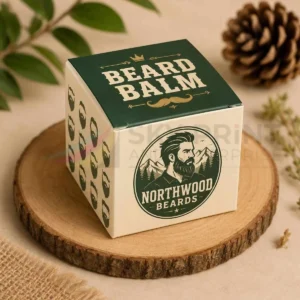
Custom Beard Balm Boxes UK | Printed & Wholesale Packaging
Custom Beard Balm Boxes manufactured for UK grooming brands with premium printing, luxury finishes and eco-friendly materials. Designed to fit beard balm tins and jars perfectly, our wholesale packaging protects your products while enhancing shelf appeal, brand recognition and the overall customer experience.

Custom Face Wash Boxes Wholesale | Premium Packaging UK

Custom Hair Colour Boxes Wholesale | Premium Packaging

Custom Mascara Boxes UK | Wholesale Luxury Packaging
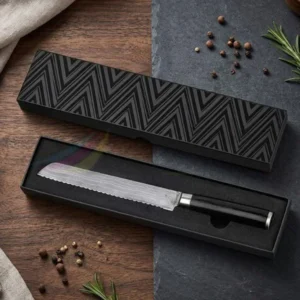
Knife Packaging Boxes That Protect, Impress & Sell More Products
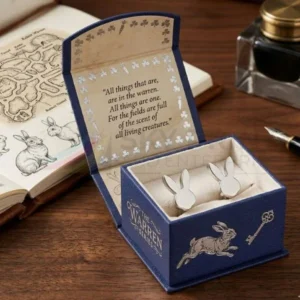
Custom Cufflink Boxes UK | Luxury & Personalised Packaging
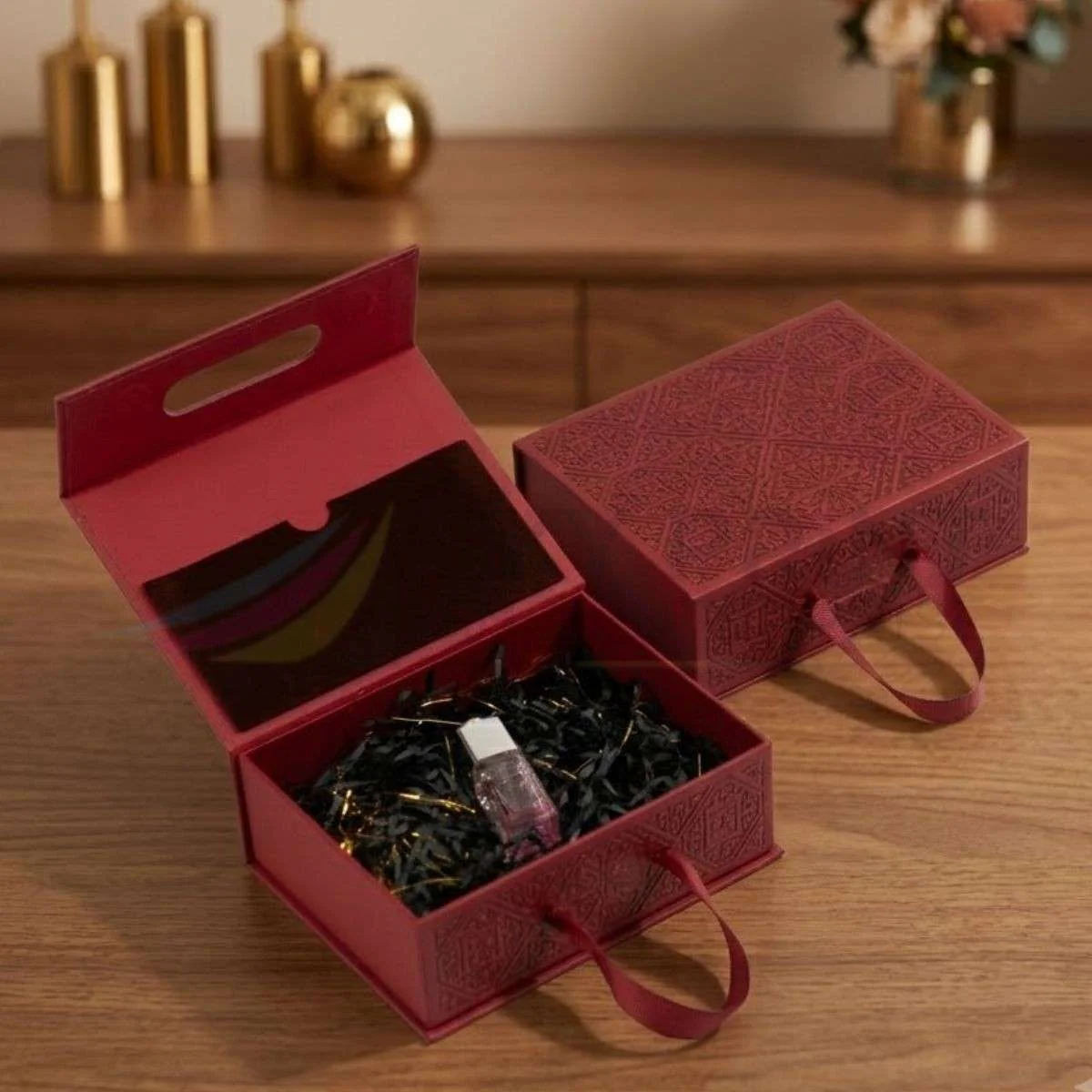
Luxury Gift Boxes: Magnetic Gift Boxes vs Folding Gift Boxes
Choosing the right packaging is no longer simply about protecting a product during transit. Today, Luxury Gift Boxes play a
Corporate Gift Boxes: Premium Packaging Guide
Corporate gifting has evolved far beyond a simple gesture of appreciation. Today, businesses use thoughtfully designed gift packaging to strengthen
Light Bulb Packaging Guide | Custom Bulb Boxes UK
Whether you manufacture LED bulbs, decorative lighting, smart bulbs or commercial lighting products, choosing the right light bulb packaging is